EviSmart Website Rebuild
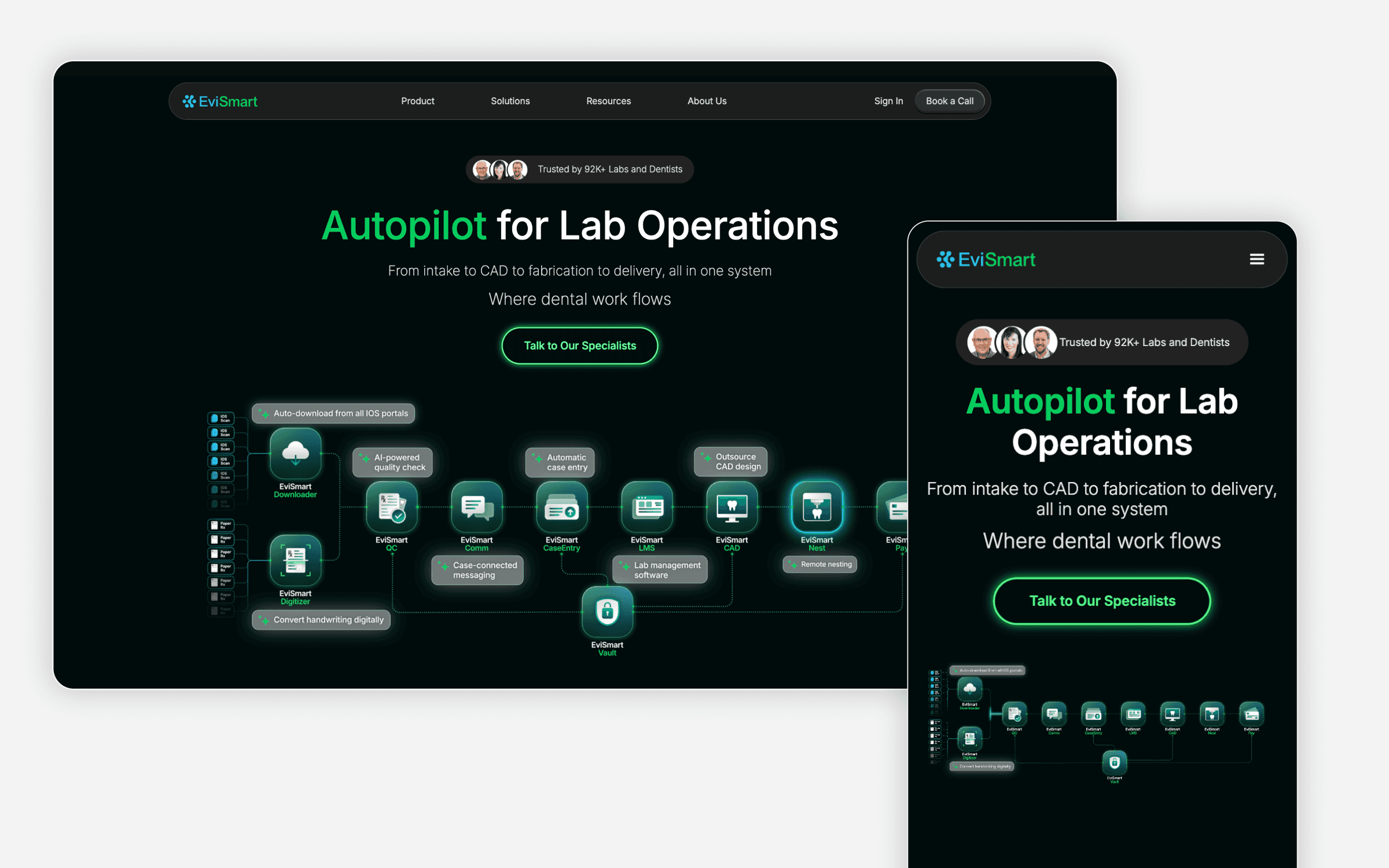
Wearing Every Hat — Creative, Web, and Marketing Across a Fast-Moving Startup
Background
Evismart's website was managed by its mother company based in Manila. Every time the local team needed to update content, add a blog post, or make any change to the site, the request had to go through Manila first. The delays were constant and significant, and it was slowing down the marketing team's ability to move at the pace the business needed.
The decision was made to rebuild the website entirely, with a new visual direction, a structure the local team could manage independently, and a style that actually reflected where the brand was heading.
The Problem
• Content updates and site changes were dependent on an overseas team, causing consistent delays
• The existing site no longer reflected the brand's current direction
• The marketing team had no ability to manage or publish content on their own
• There was no design system or component structure in place for consistency
Goal
Process
01 — Strategy & Story
Before anything went into Figma, we worked through the brand story. What did we want people to feel when they landed on the site? How should each page be structured to guide someone from awareness to interest? We ran workshops internally, tested different content structures, and aligned on a clear direction before moving into design.
02 — UX
The UI designer on the team led the initial UX work, mapping out user flows, page structures, and information hierarchy. I supported throughout this phase, contributing to decisions around content flow and what the site needed to communicate at each stage.
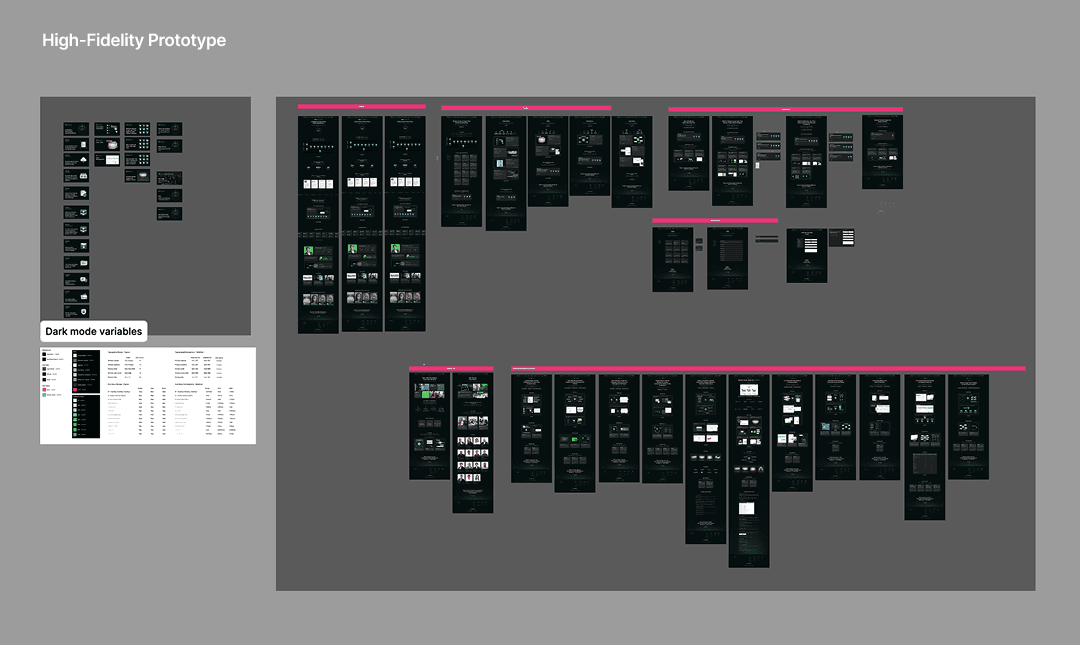
03 — UI Design (Figma)
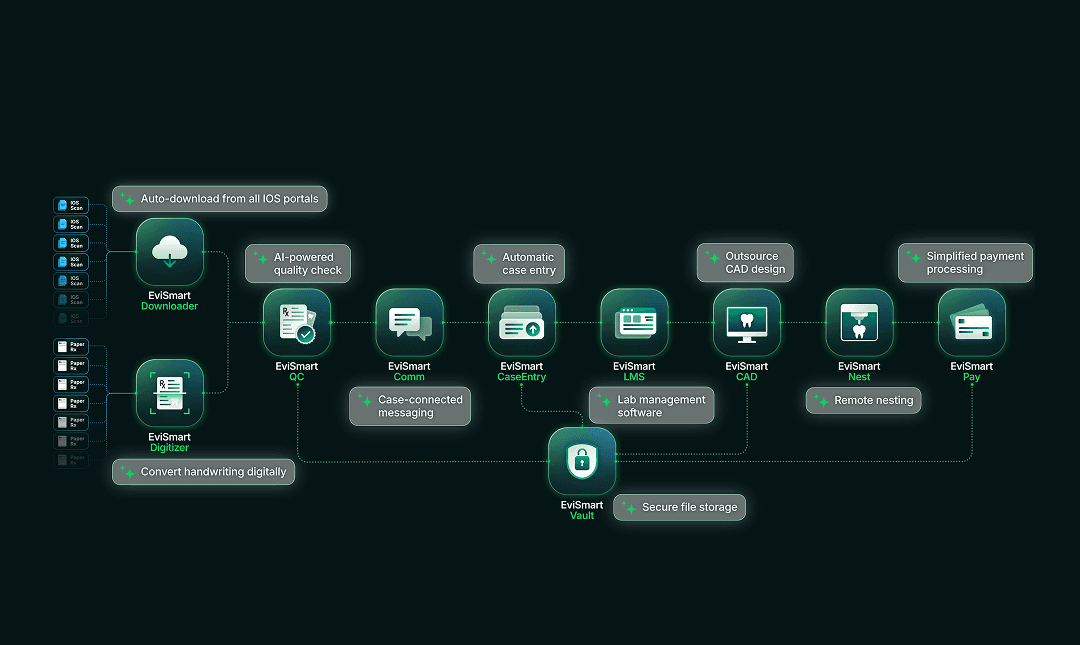
Once the UX was locked, we moved into UI together. This is where Figma became the center of everything. We built out the visual language of the site and defined the design system: typography, color, spacing, and a custom icon set designed from scratch to match the new brand direction. Every graphic element on the site, including icons, illustrative content graphics, section dividers, and decorative UI elements, was designed by me rather than pulled from stock libraries, ensuring visual consistency across every page.
04 — Webflow Build
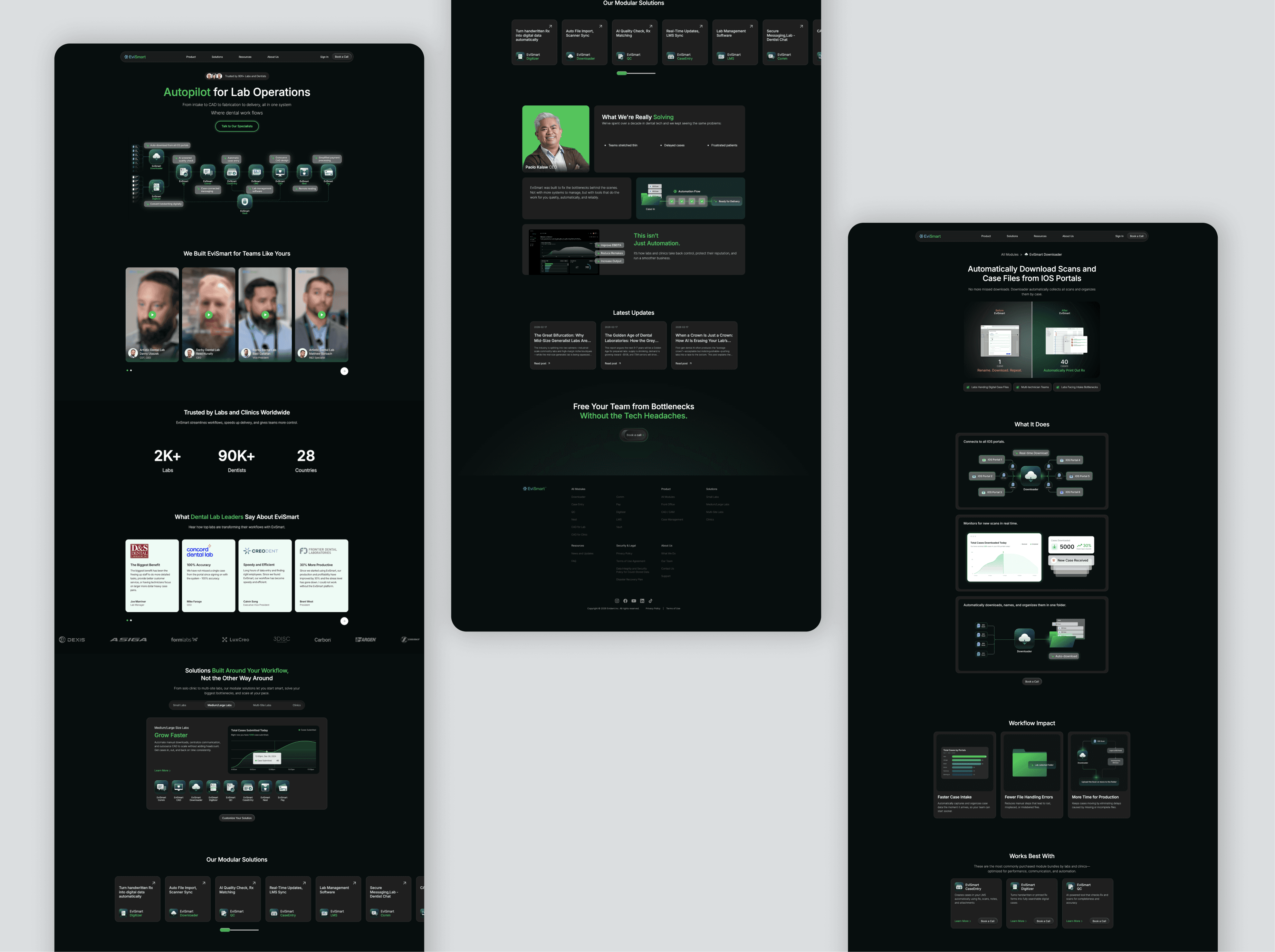
I led the entire build. Rather than using a pre-made template, I built everything from scratch to match our specific visual style. This included building the full component library, setting up the design system within Webflow, and turning the custom icon set and graphic elements I designed in Figma into reusable symbols across the site. I also designed and implemented all micro-interactions, including hover animations and transition states, from initial concept through to Webflow interactions, adding a layer of polish and responsiveness to the overall experience. Beyond Webflow's native tools, I wrote custom HTML, CSS, and JavaScript where needed, including custom CSS for interactive elements and custom JS to pass marketing data into HubSpot, which pushed the build past what Webflow's built in features could handle on their own. On top of that, I structured the CMS so the team could manage blog content and update pages without any developer involvement. My teammate helped with transferring and migrating content across pages, but all layout, structure, and development was driven by me.
The full build was completed within two weeks, learning the platform and building at the same time.
05 — Launch
The site launched on schedule. Shortly after, the UI designer left the company, and I took full ownership of the website going forward.
After Launch
Taking over the project solo opened up a new chapter of work. The site became a living project rather than a one-time build.
Analytics & Tracking
I worked with the marketing team to properly integrate Google Analytics 4 and Google Tag Manager, setting up tracking and configuring tags so we could start capturing meaningful conversion data. This required learning both tools in depth and making sure everything connected cleanly with the site.
Analytics, SEO & Marketing Integration
As the marketing team shifted and responsibilities expanded, I started getting more involved in areas I hadn't worked in before. This included Google Tag Manager, Google Analytics, and SEO, all of which needed to be properly integrated with the website.
I helped set up tracking, worked through tag configurations, and made sure conversion data was being captured in a way that actually made sense for the team. It was a lot of learning on the job, but I've gotten comfortable working across these tools now.
On the HubSpot side, I've been building out email campaigns, creating landing pages, and setting up workflow automation. The goal has been to connect everything, so the website, HubSpot forms, and conversion tracking are all working together and giving us meaningful data on how people are moving through the funnel.
To better understand actual user behaviour, I've been using Hotjar alongside Google Analytics. Looking at where users drop off, how far they scroll, which sections hold attention and which don't has been really useful. Based on those insights, I've been going back into the UI, making adjustments, and testing changes to see what actually moves the needle.
HubSpot Integration
As the team's marketing stack grew, I got more involved in HubSpot. This included building email campaigns, creating landing pages, and setting up workflow automation. The goal was to connect the website and HubSpot so that the full funnel, from a site visit to a lead to a conversion, was trackable and as automated as possible.
User Behaviour Analysis & UI Iteration
Using Hotjar alongside GA4, I started analysing how users actually moved through the site. Where were they dropping off? How far were they scrolling? Which sections were holding attention and which weren't? Based on those findings, I went back into the UI, made adjustments, and tested changes to see what actually improved engagement. This has become an ongoing cycle of analyse, update, test, and repeat.
SEO
I also took on SEO as part of managing the site, working on on-page optimisation and making sure the site structure was set up in a way that supported search visibility.
What I Learned
Going into this project with zero Webflow experience and delivering a full custom build in two weeks was a confidence-defining moment. More than the technical side though, what this project taught me was how to think about a website as a marketing tool, not just a design output. Every decision from page structure to CTA placement to how the CMS is organised has a downstream effect on how the team operates and how users convert. Understanding that connection between design, development, and marketing has changed how I approach every project since.